
Plain by design
Notes and code stay real UTF‑8 files, with their original extension. Open them in any editor today—or years from now.
Write Markdown quickly, shape it with lightweight tools, and preview it beautifully while the source stays yours. When needed, the same app also edits HTML, JSON, PHP, JavaScript, SQL, and other safe UTF‑8 text files—not proprietary records.
Mac Catalyst compatibility (beta). Based on the iPad experience; some Mac-specific features may not be available.
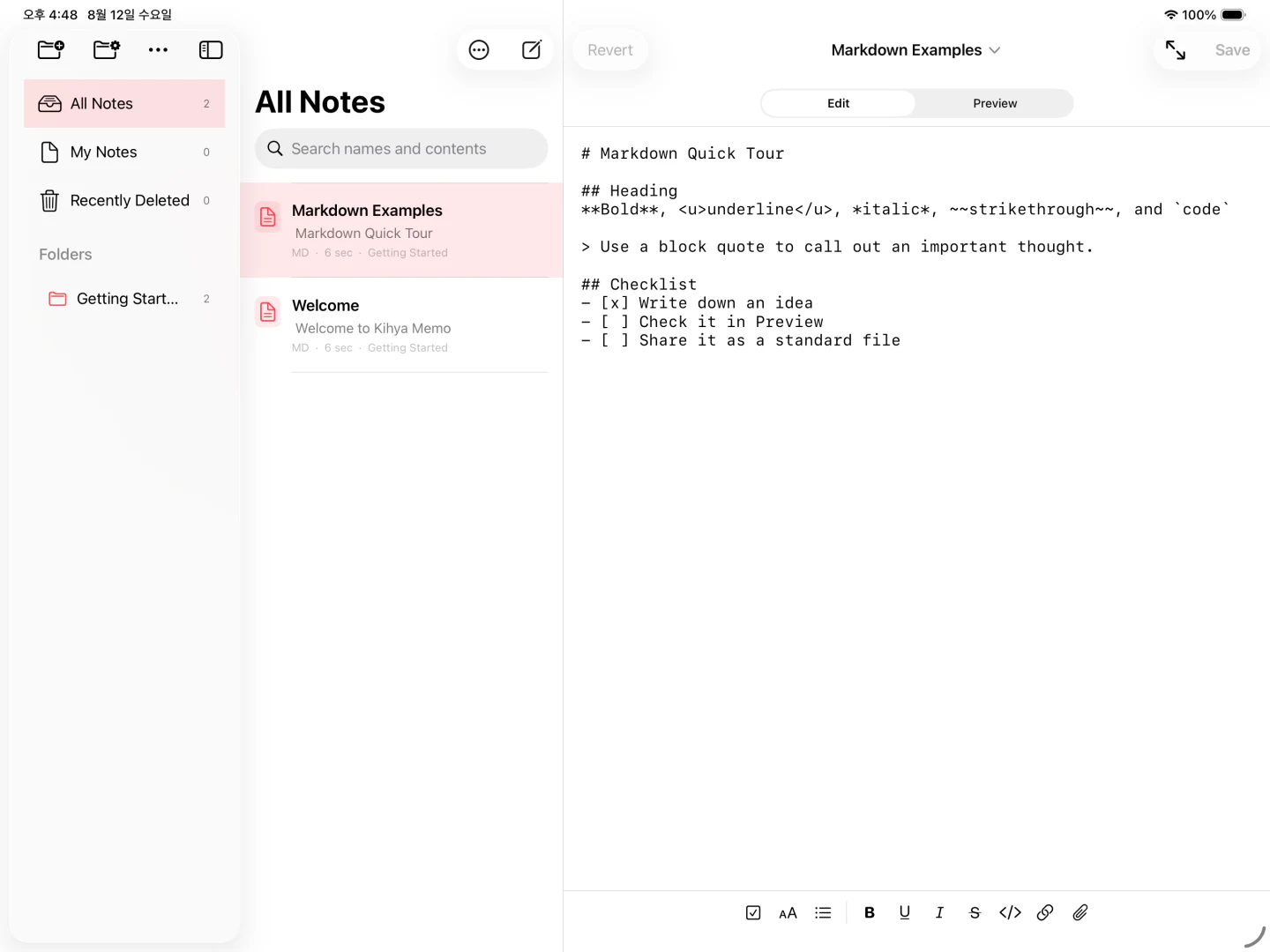
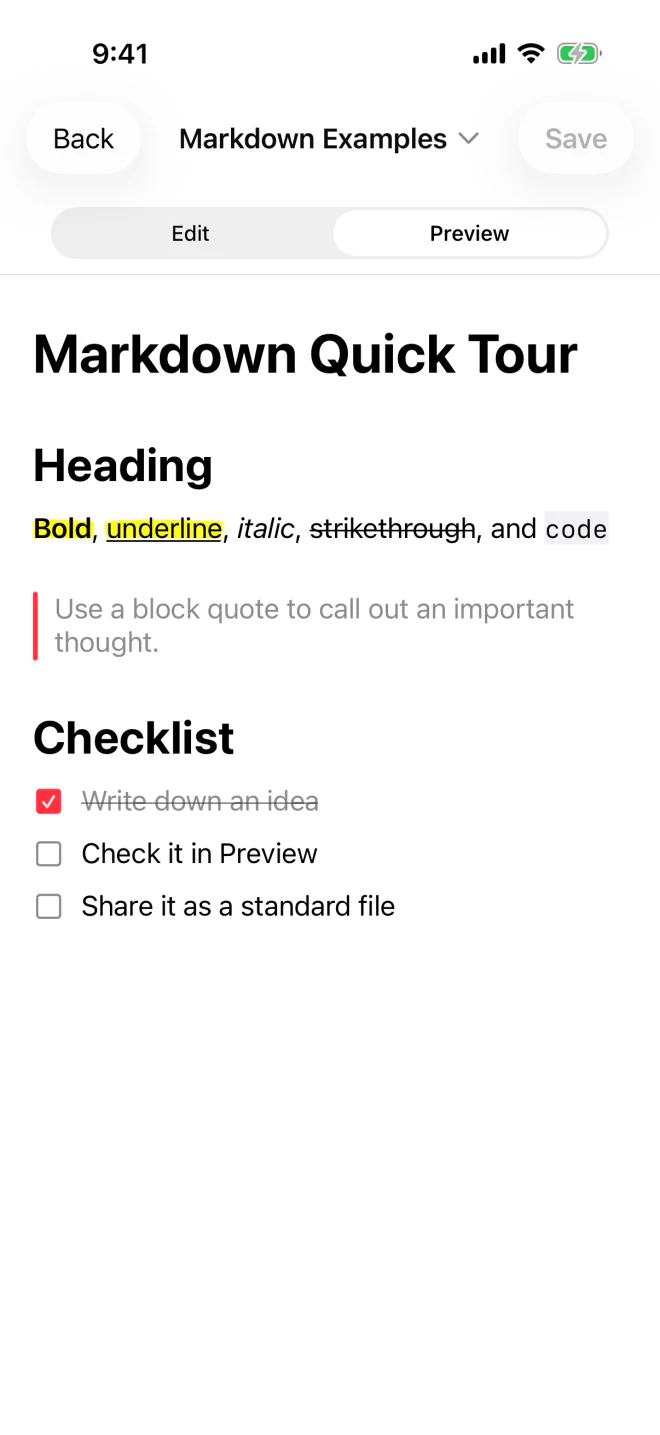
Too many note apps pile on formatting, fail at sync, then make backups and exports strangely hard. We built the opposite: quick to open, free to use, no mandatory sign-up, and made of files you can read anywhere.
Notes and code stay real UTF‑8 files, with their original extension. Open them in any editor today—or years from now.
Native iOS and Android screens keep the path from launch to writing short, so an idea has less time to disappear.
Add SFTP, plain FTP, explicit FTPS, or implicit FTPS servers, then safely edit supported UTF‑8 files with local recovery drafts and history.
Scroll through the real app. The interface gets out of the way while your notes remain ordinary, portable files.
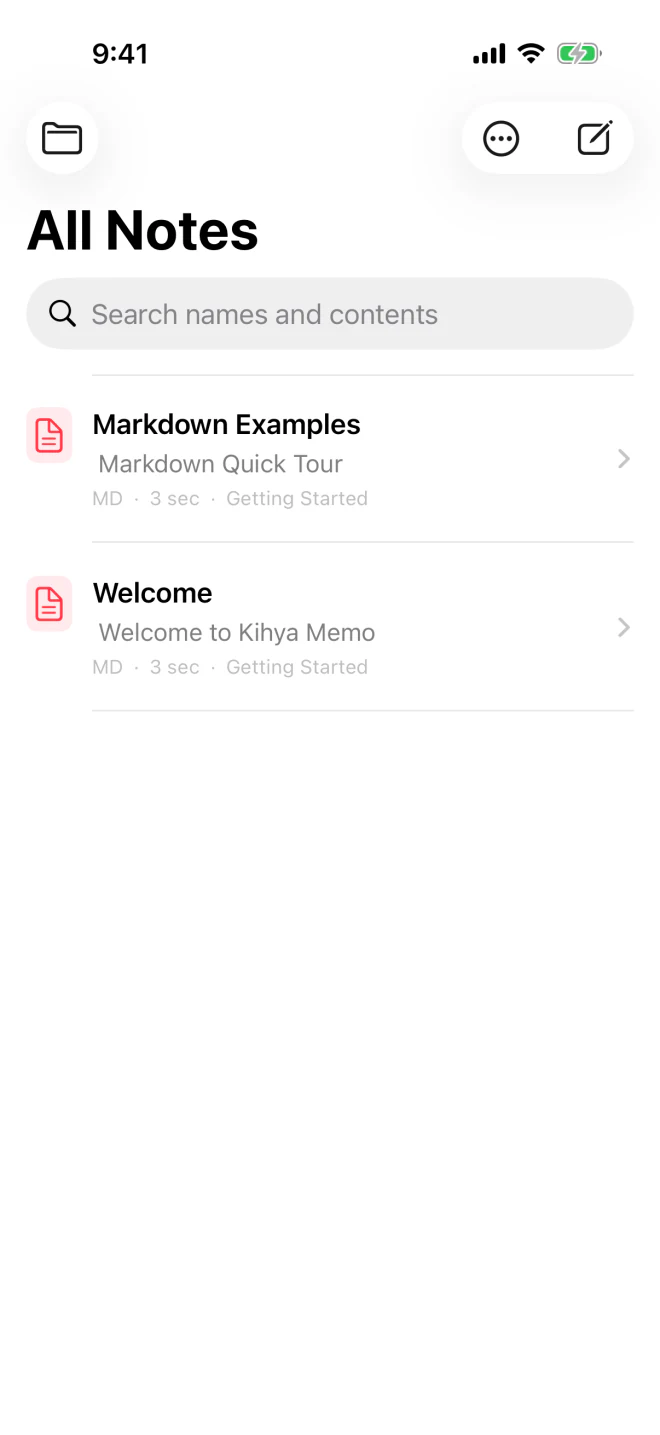
Start without an account. Search file names and full note contents, then jump into a new thought before it slips away.
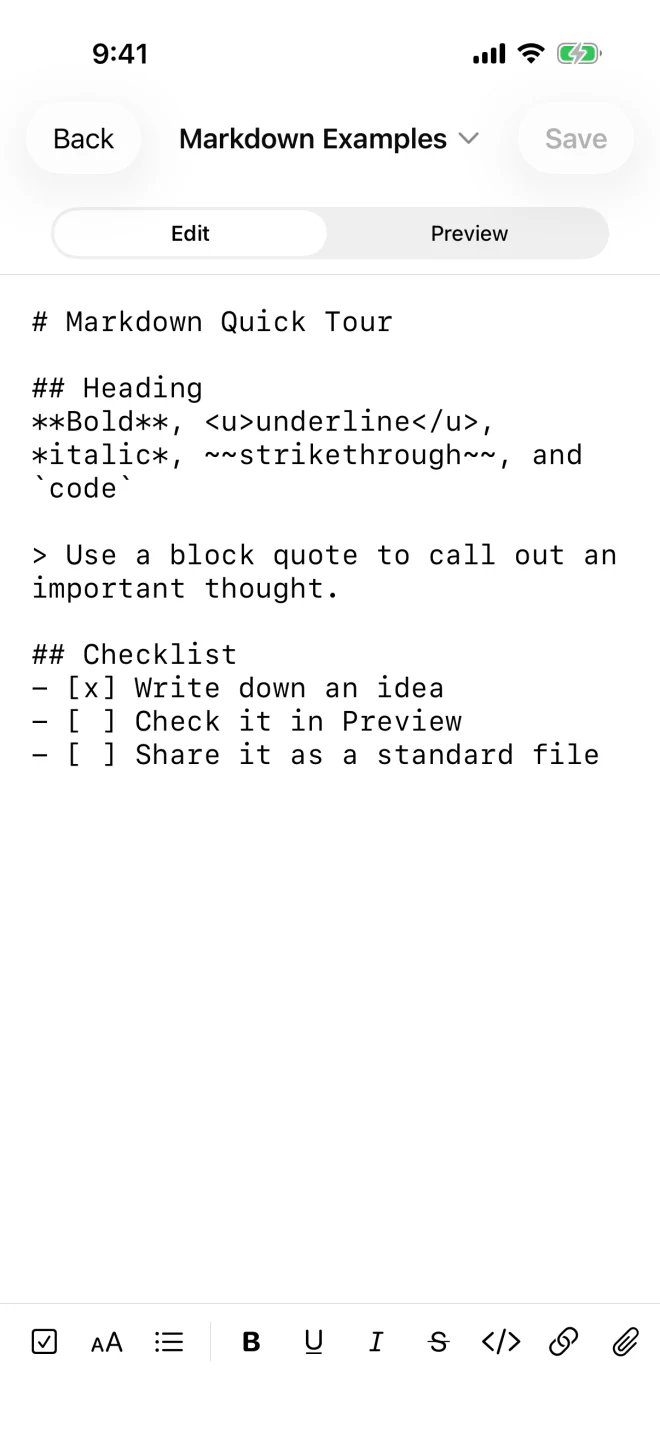
Use headings, lists, checkboxes, emphasis, code, and links while clean Markdown remains underneath. The editor also opens HTML, JSON, PHP, ASP, JavaScript, CSS, SQL, and more with plain-text syntax colors, plus in-file Find, Replace, and regex Replace All with capture groups.
Notes open in native Preview by default and remember whether you last left them in Edit or Preview. Toggle checkboxes, see local images, and open clearly marked file links without turning the original into a mystery format.
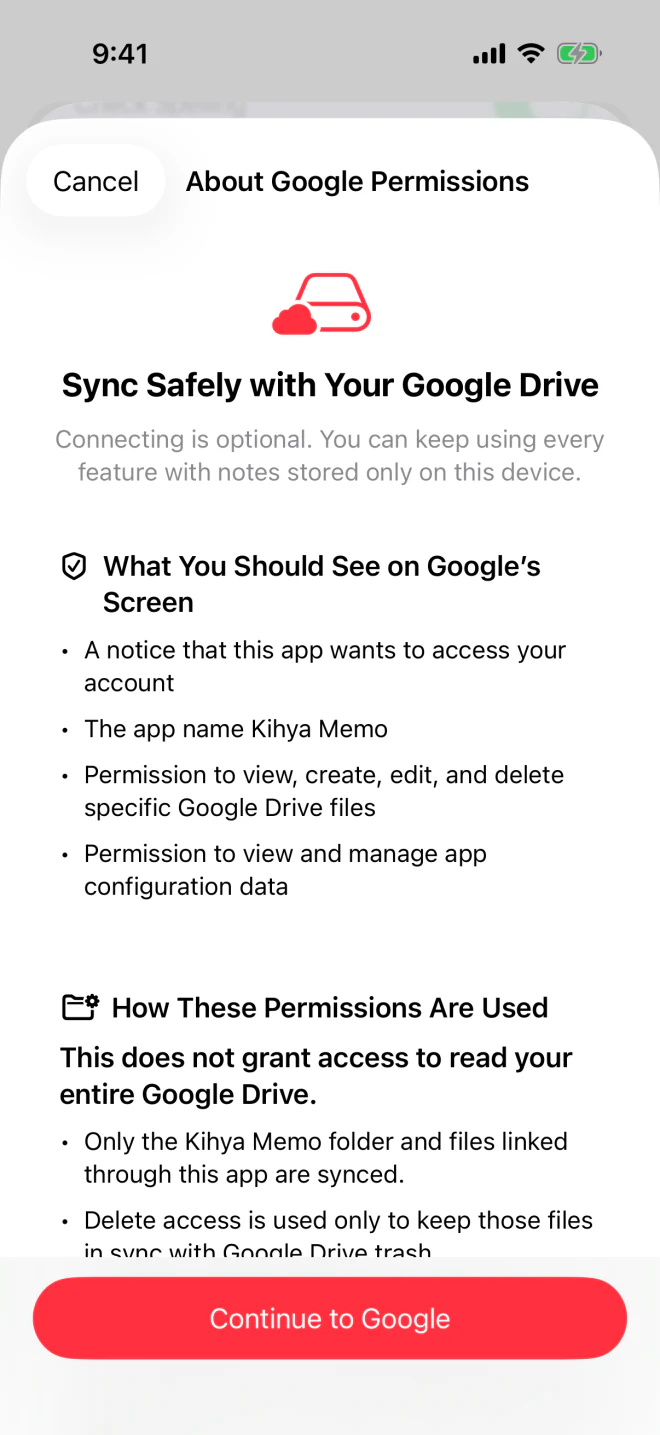
Connect your own Google Drive from Settings to continue across devices. Kihya Memo asks only for files it creates or you connect—not your entire Drive.
Add a Kihya Memo widget once, then begin with one tap. Choose a clean blank page or let a timely sentence give the first nudge—without signing in or loading a feed.
Opens a blank editor with the keyboard ready. No empty file is left behind unless you actually write and save.
Shows an offline sentence for the time of day. Tap it to start a note and prepare a 4:5 image card you can share.
Home Screen widgets are available on iPhone, iPad, Android phones, and Android tablets. Widget sizes and refresh behavior can vary with the operating system and Home Screen app.
See how to add and use widgetsFolders, files, recovery, export, and native layouts are part of the core—not leverage to keep you locked in.
Create nested folders, drag to move, rename safely, and search names plus note contents.
Keep pre-save versions locally and recover a recent draft after an unexpected exit.
Deleted notes and folders go to Recently Deleted first, with optional device‑auth protection.
Export the visible folder tree as a ZIP. Trash and app-only recovery data stay out of it.
Focused list-to-editor flow on phones; folder, file, and editor panes together on tablets.
Start a new note quickly or open a chosen document in a clean, read‑only view; Back or Close returns to the memo list.
The same choices that keep Kihya Memo light and portable also define what it does not try to become.
You will probably love it if
Good to know before you choose
Start simple. Add structure only when your notes ask for it.
Kihya Memo/
├── inbox/
│ └── quick-thought.md
├── projects/
│ ├── plan.md
│ └── reference.pdf
└── archive/
Keep one low-friction folder for fleeting thoughts. Name and move them only when they become useful.
Use Markdown for notes, or keep HTML, JSON, PHP, JavaScript, SQL, config files, and extensionless text in their original form.
Place photos, PDFs, and archives in the same project folder. Link them with relative paths so the bundle remains portable.
Local-only is a complete way to use the app. Turn on Google Drive when continuing across devices matters to you.
Make a ZIP before major reorganizations or whenever you want an independent copy. Your files should outlive any one app.
What the name means
In Korean, “Kihya~” is the sound that slips out after a truly delicious beer. Kihya Memo means a note app worthy of the same reaction: refreshingly fast, remarkably uncluttered, and simply good to use.
No Kihya account is required. Note text, file names, paths, attachments, and searches are not sent to Kihya servers. Optional Drive sync runs only after you connect it.
Read the full privacy policyrequired Kihya accounts
optional, limited Drive scopes
and .txt originals you can keep
drive.file lets the app work only with files it created or you connected. drive.appdata keeps a private workspace identifier and, before one different text replaces another, a recovery safety record. Neither permission grants access to your whole Drive.
Firebase Analytics may receive an app‑instance ID, device and app version, approximate region, sessions, screens, and feature events. It never receives note content, names, paths, searches, attachments, or Google account information; advertising IDs, ad personalization, and User‑ID are not used.
Company, memo website, guide, policy, and support links open in your system browser only when you choose them. Android 1.0 has no retailer, regulated-goods, order, or payment link.
Nanum Gothic, Nanum Myeongjo, Nanum Gothic Coding, Jua, and Poor Story are included under the SIL Open Font License 1.1. We thank their creators at NHN/NAVER, Sandoll, FONTRIX, Woowahan Brothers, the BM JUA authors, and Yoon Design.
Need help with something else? Email help@kihya.com. Please do not send note contents, file names, paths, searches, or Google account details.
Browse all 40 answers
Fast notes · Plain files · Yours to keep
The official App Store and Google Play addresses are connected. Availability may appear at slightly different times by country while each store finishes publishing.